Bookmyplay
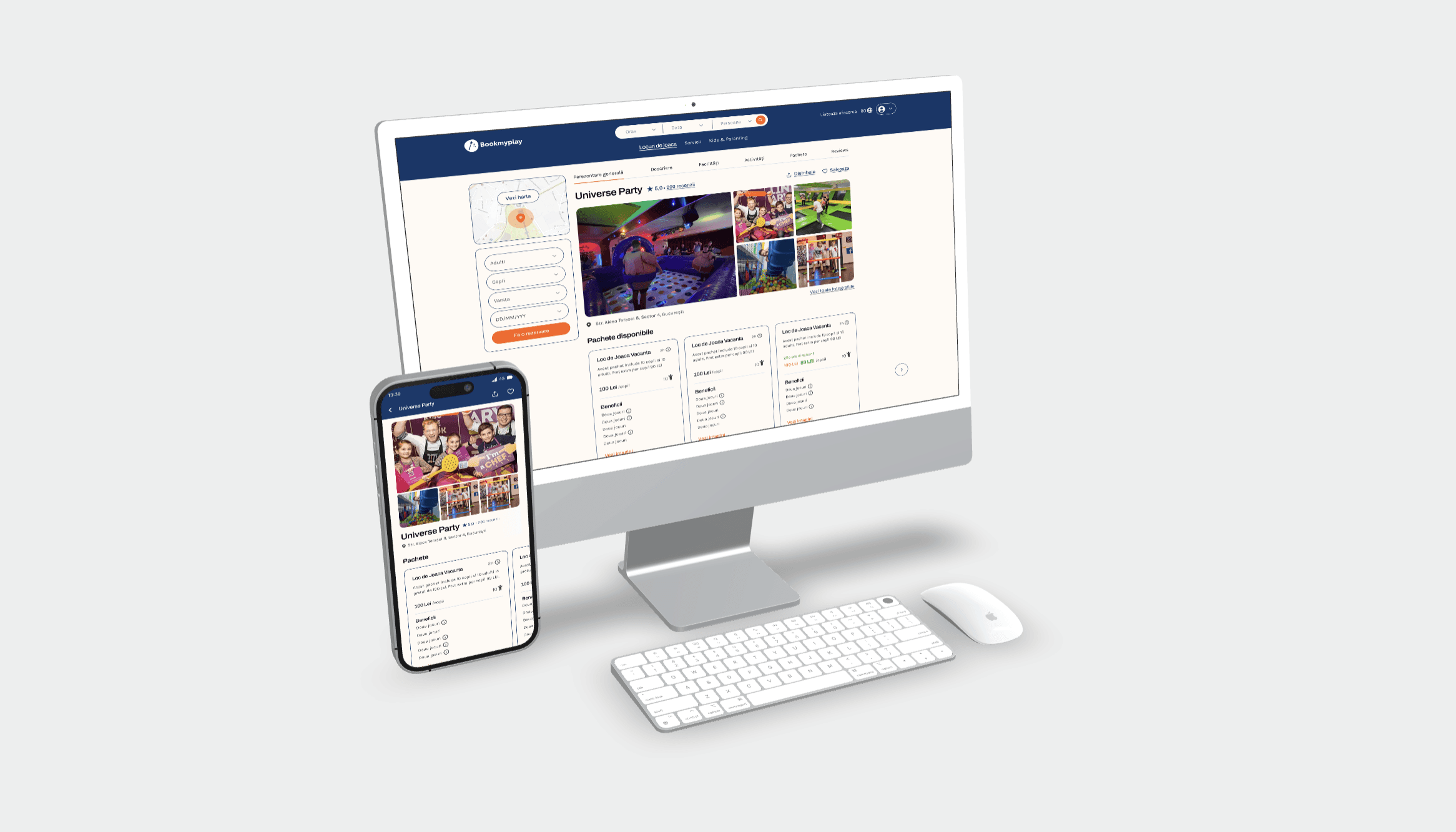
BookMyPlay is an events booking platform for family entertainment. I led the UI redesign, rebuilding the booking experience mobile-first around accessibility and clearer hierarchy, gaving the team a reusable design system.
Role UX/UI Designer
Timeline 3 months · 2025
Team CEO, Project Manager, 5 Developers
Live bookmyplay.ro
What I owned
UX and accessibility audit · redesign of key platform pages · responsive layouts across breakpoints · Figma component library and design tokens · developer handoff and QA support
01 · The challenge
The backend was strong. The visual direction wasn't — and the client knew it.
The platform needed to feel clearer, more accessible and more trustworthy without losing the playful identity that suited family entertainment. Six problems sat behind that:
Weak visual hierarchy
Inconsistent responsive behaviour
Low contrast in several areas
Generic visual style
Booking and browsing friction on mobile
No reusable UI system for developers
The last one mattered most. Without it, every fix would drift back out of sync.

Click on the image above to go to the website
02 · Approach
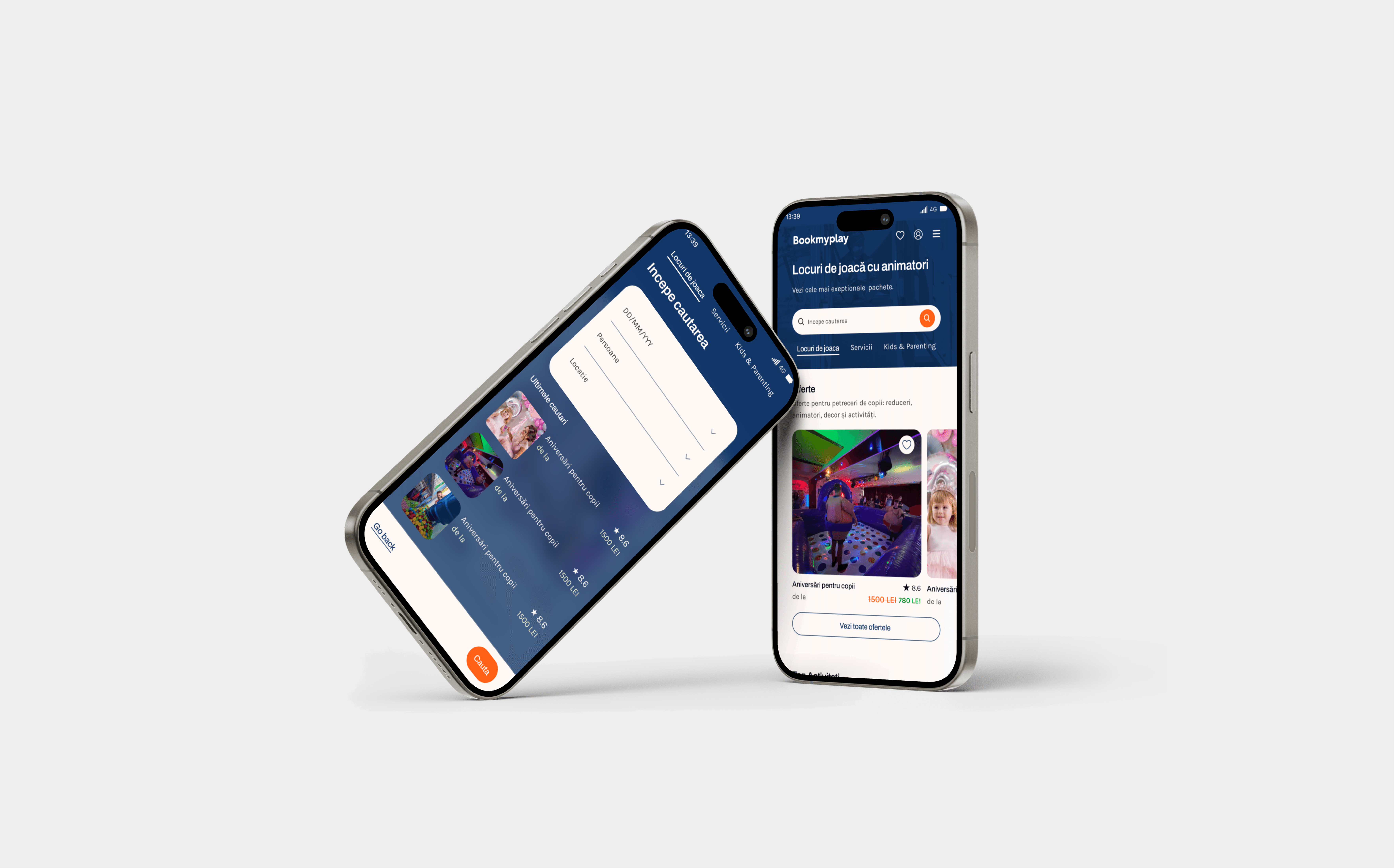
A clearer booking experience. I rebuilt homepage storytelling, event cards, pricing layout and CTAs, then tightened the path between homepage, event details and checkout. Fewer decisions per screen, one obvious next step.
Accessible, mobile-first UI. I ran a UX and accessibility audit across desktop and mobile, then redesigned on a responsive 12-column grid — stronger contrast, larger tap targets, clearer focus and hover states, better spacing at every breakpoint. WCAG 2.1 AA was the target, and I documented the accessibility and interaction requirements so developers weren't guessing.
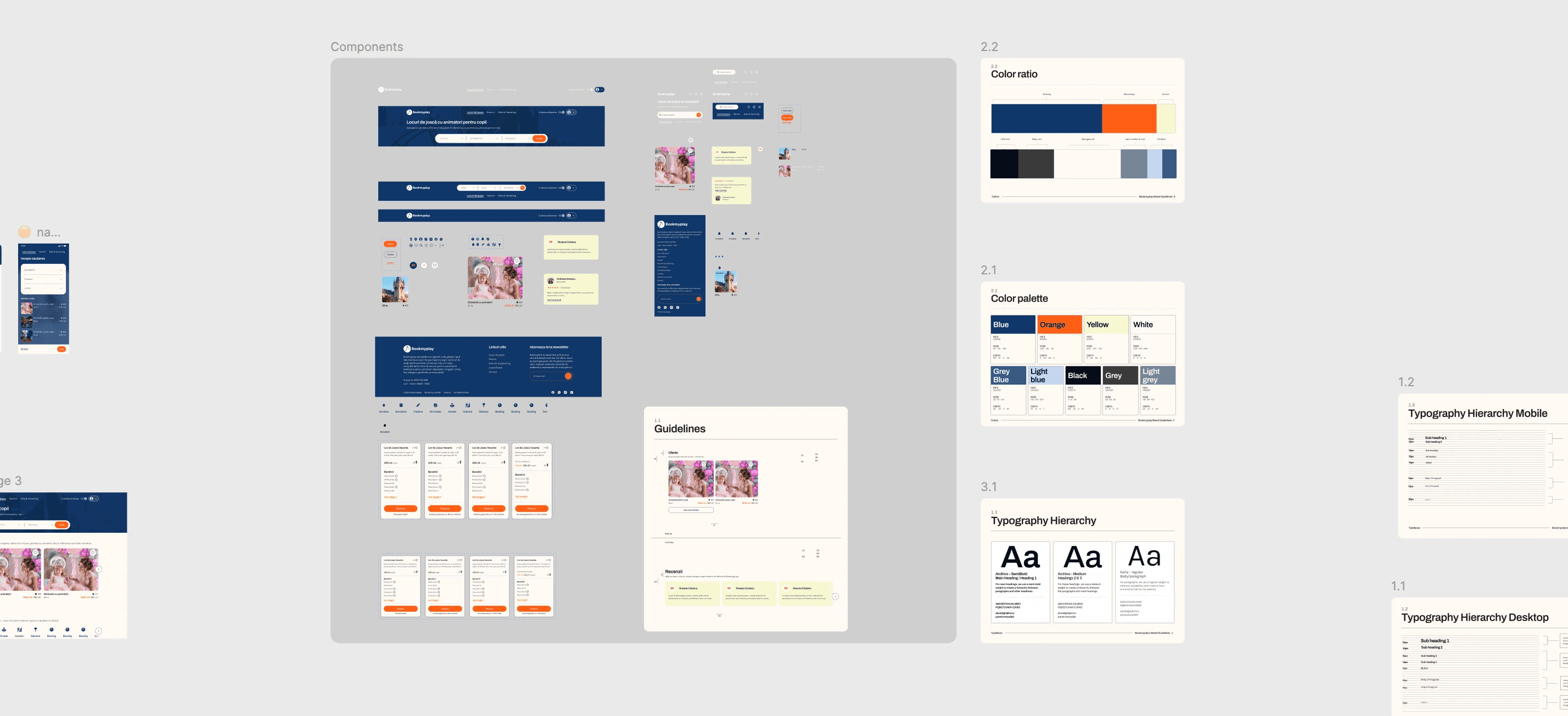
A scalable design system. Reusable Figma components, design tokens for colour, typography, spacing and layout, plus interaction states, empty states, error states and micro-animation guidance. Built so consistency survives the next feature, not just this redesign.
03 · Result
Responsive, development-ready redesign delivered across mobile, tablet and desktop
Improved visual hierarchy and content scannability
Mobile layout and responsiveness issues resolved
Accessibility raised to WCAG 2.1 AA alignment
Reusable component library and token-based system in place
Detailed handoff reduced developer ambiguity and QA friction
Smooth launch — no major visual rework requests from stakeholders

Takeaways
Taking over an unclear direction is its own skill. The job wasn't to start fresh, it was to find what was worth keeping and give it structure.
Accessibility and playfulness aren't in conflict. Higher contrast and bigger tap targets made the warm, family-facing brand more usable, not less characterful.
A design system is a handoff strategy. Tokens and documented states did more for implementation quality than any single screen I redesigned.
Skills
UX/UI design · UI redesign · Accessibility design · WCAG 2.1 AA · Mobile-first design · Responsive prototyping · Visual hierarchy · Design systems · Figma tokens · Developer handoff · QA support · Cross-functional collaboration